2014-01-16

Updated! Google Chrome Finally Adds A Sound Icon For Tabs!

I spy a sound icon

This has been a long wanted feature from many people.

And, as always, Google slowly rolls out new features. So, you may have gotten your already, or will soon be able to see which tab sound is playing in. I found a news article from way back on November 13th, 2013 mentioning this update, where it was in beta.

And, there should be a link to the XKCD comic/article that mentions this feature. That comic was written a long time ago. Hopefully, I can find it again.

~ Danial Goodwin ~


2014-01-15

Why Would I Want To Scale Up Images And Keep Them Pixelated?

A few days ago I wrote a blog post on how to scale up images and keep them pixelated using Paint.NET. Today, I expand on that a little further, using more images to showcase differences.

First, here are some reasons to keep images pixelated as you resize them:
1. Creating a pixelated/retro game and you would like to scale up one of the images to be an icon that accurately represents the game.
2. Prototyping or creating a MVP.
3. Better compression and/or smaller file sizes. This in turn creates a slightly smaller file for users to download an app/game.
4. Not enough time (or skill) to create a full-fidelity/smooth image. So, you determine that a pixelated and crisp icon looks much better than a large blurry icon. (Screenshots for comparison below)

Initial image. 34x24 pixels.
A "regular" scale up resizing causes image to be blurry. 1000 x 1000 pixels with some margin.

This is how the stretched image looks if I didn't first add the margin for the gem to "grow" into. 1000 x 1000 px.


Using "nearest neighbor" scaling. 1000 x 1000 px.

Now, let's randomly compare image sizes of each of the above four images. Each of them were saved in the same PNG, 32-bit format.
1. 542 bytes
2. 137 KB
3. 174 KB
4. 17.6 KB

The pixelated scaled-up image has about a 10x smaller file size as a regular PNG. Using any more compression techniques, the difference would be even larger.

Though, admittedly, this example is small and simple enough that any modern computer will be able to handle these. A complication would arise more probably in a small embedded system or old phones/processors with bad data connections.

Bonus tip: Instead of choosing the different scaling options in Paint.NET or Photoshop. If you want to create a large pixelated image, the regular Microsoft Paint by default already does that.

~ Danial Goodwin ~

ps - A special thanks goes out to reader Spence for the great blog idea suggestion.


2014-01-14

Level Up: Paint.NET: Create Large Image From Small Image Source

In trying to create a logo for my newest game, I had a few images that were 32x32 pixels. So, my first thought for the logo was just a mash up with all of them. And, that looked something horrific, like:

A mashup of small pixelated icons
And, if that were scaled up to the size I needed, it would be even more pixelated, which I did not want for this game. So, I thought for a few seconds to determine what I were to do if I weren't lazy. Using my design background and my like for being minimal, I've decided to just create an image of my own that wouldn't be pixelated. If I were to just blow up an 32x32 image to 1000x1000, here's what it would look like:

This is worse than pixelation
Solution, in order to capture the essence of the game in just a single simple icon, I determined that the bomb disguised as a coin would best represent most of the game. Hopefully, it would also provide a little bit of intrigue to get users to click on it.

Final image, using only my own circles, lines, and rounded rectangles. Oh, and the practical use of Gaussian Blur for the level up! =]


Btw, you can play the free beta version at Simply Advanced Games. Coinqueror is coming soon for Windows 8 and Windows Phone 8.

~ Danial Goodwin ~


2014-01-13

Level Up: Nerdiness: Mod Japanese Super Famicom Games to Play in US Super Nintendo Consoles

Thus, my Nerd level has once again increased after today's completion of modding my Super Nintendo Entertainment System (SNES) so that I can play my ~20 Famicom games on there.

Thanks to MakeUseOf for pointing me in the right direction.

I learned that there was no software restricting the pay of the Japanese games on the American consoles. There was just two small pieces of plastic restricting the cartridge from sitting properly inside. American cartridges have two grooves on the back and the Japanese cartridges are flat.

It seems a lot easier to cut the plastic restrictions off inside the console, compared to creating indentations on each of the games.

The website used only a wire cutter to remove the excess plastic that was in the way, inside the SNES. After discovering that the closest pair of wire cutters next to me were too big, I reach for the next closest thing, which just happened to be a saw.

The oscillating/vibrating saw worked perfectly. It was made to cut flush against surfaces, and that's exactly what happened.

One other note. Japanese cartridges are a little less narrow than the US counterparts, so you have to be a little more careful when inserting them. But, it shouldn't be difficult.

Have fun!

~ Danial Goodwin ~


2014-01-12

Level Up - Paint.NET: How To Scale Up Images And Keep Them Pixelated

Typically, when you resize an image in Paint.NET, it will use anti-aliasing in order for images to look less pixelated. But, sometimes, when you have a great small image, you want to keep it pixelated. So, here's how you do it.

1. From the menu bar, click Image->Resize (or just Ctrl+r).
Step 1. Go to the Resize menu

2. Locate the "Resampling" drop-down menu at the top of Resize window. By default, the option selected is "Best Quality".
Step 2. Click the Resampling option

3. Choose the "Nearest Neighbor" option. Set your width and heights. Then click "OK".
Step 3. Select "Nearest Neighbor" resize option

You now have a large image with the pixelation still intact.

How did I find this out? Experimentation (aka guess and check). Good thing there were only four options there to choose from. ;)

UPDATE: A few days later, I have now written a follow up to this with more image comparisons and reasons why you may want to keep pixelation on an image when resizing.

~ Danial Goodwin ~

ps - The image I used in my screenshots used to be 34x32 pixels, then I scaled it up to be 1000 pixels wide. Then, I added the gem's shine (which isn't pixelated).


2014-01-11

Construct 2: Reporting Bugs for Windows Phone 8

For the past few WP8 apps I've been creating using Construct 2, I've been manually making the necessary bug fixes myself. Today I've decided to properly report three of these bugs to the developers of Construct 2. My last bug report that I sent to them a few weeks ago was fixed. And, I expect the same with these bugs, especially, since I described them almost like I fixed it for them. ;)

The three errors reported:
- WP8 Export: Fullscreen not being set
- WP8 Export: App title not carrying over to WP8
- Windows Phone 8 Export, no apostrophes allowed

In the meantime, until these errors are fixed, you can visit the links to see how I solved the problems manually. If the links don't work, then that most likely means that the bug has been fixed and the bug report post has moved to a different place.


UPDATE: Each of these reported bugs have now been fixed! Construct 2, release 157

~ Danial Goodwin ~


2014-01-04

Cryptic Military Password Requirements

Just a few notes here for an unnamed (non-secret) military (ending with .mil) website. The sole idea of this post is to briefly articulate how "strong" of a security password is required, that is, until everything moves to requiring a physical, smart card + card reader.

(The following is not word for word, but just the general idea in my own words.)

Here's what is highly recommended (read: required) by the site:
- Up to 55 characters.
- Contain 2+ of each of the following
   - UPPERCASE letters
   - lowercase letters
   - symbols   - numbers
- NOT contain:
   - Any self-identifying information
   - Words that can be found in the dictionary (thus preventing dictionary attacks)
   - Common passwords, like "password", "654321", "abc", "qwerty", "asdfghjkl;'"

And, now the special considerations:
- Password lasts less than six months
- Can't reuse passwords
- Passwords must be significantly different from previously used ones

The above is all true.

Now, how does one remember this obfuscated password?

Well, one idea is to write it on a sticky note and put it on the computer. (Please don't do this). Another idea is to not remember the password and deal with possibly a weaker route of just knowing a few pieces of self-identifying information for a call or automatic password recovery system.
Two more bad ideas for remembering complicated passwords to a secure system:
- Using a third-party password solution
- Save in a plain text document
- Save in an encrypted document with the decryption key on the same machine

ps - Post purposely vague and without a final conclusion. It is my hopes that readers will find more reputable sources than a random blog on the Internet to read. Here's a good mostly-unbiased start: https://www.google.com/search?q=what's+a+safe+password

~ Danial Goodwin ~

pps - If you would like to know more about security for URLs, then check out my post from two years ago that still holds true today: http://blog.simplyadvanced.net/what-you-dont-know-about-urls-and-how-you-will-be-tricked/


2014-01-03

Dan vs Phases of Matter

Assume for a moment that we don't take for granted everything we learned in school.

Today's post is about the different phases of matter and mainly their reaction of going from one to another.

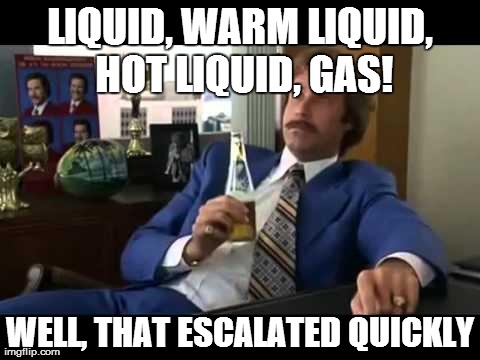
Coming from a naive perspective, isn't it weird how a liquid state can just go to a gas state in our everyday lives? (E.g. boiling liquid water on a stove) Would it not make more sense if there was more of a gradual change from liquid to gas, rather than just directly? It seems to not be a slow enough change, how science has defined it in classes.

Meme: Liquid going to gas, that escalated quickly.

~ Danial Goodwin ~

ps - This was just the basic version. Eventually, I may have a post about supercritical fluids and degenerate gases.


2014-01-02

A Million Monkeys vs Government

If a million monkeys on a million keyboards+computers could eventually type out all of Shakespeare's works, then it they could probably type out all of government's secrets also.

What are they going to do about that?

~ Danial Goodwin ~


2014-01-01

New Perspectives for a New Year (and crazy predictions for 2014)

Another year, Happy Birthday!
--
Resolution: Make this the best 2013 ever!

(Hint: There are at least three meanings in the line above.)
--
Resolution: Celebrate New Years Eve, not just celebrate on the day before New Years Day.
--
Idea: Celebrate New Years every time zone!

(For the advanced users, that would be more than 24 celebrations in one day)
--
Idea: I'm starting a countdown until next New Years Day. 365! Now, somebody else keep track.
--
Maybe as an April Fools joke, they should let the New York Times Square ball seemingly be dropped by full gravity and nothing slowing it down. Actually, imagine if all the lights in the Empire State building, or another tall building, make it look like the lights were sinking like a Tetris piece falling.
--
If somebody had no resolutions last year, then let their resolution for this year to have at least one resolution next year.
--
One of these years, in order to try to please people, there is going to be a savvy politician proposing celebrating New Years twice instead of just the traditional, once.
--
Using the numbers in 2014, make 42: 42^1+0. Others?
--
Crazy prediction for 2014:
- Octopus found with nine tentacles, called Nonapus. There is also an octopus with seven tentacles found.
- Microsoft creates a movie, about elves.
- McDonald's creates a product and one of their marketing lines is, "A McDonald's in every home!"
- People start growing "regular" grass of different colors to stand out.
- "Artificial" Intelligence "creates" its own music after analyzing millions of other different songs.
- Stocks continue going up for another three months, then many analyst decide they've all been too excited and driving up prices to much. Thus, stocks dip a little and flat-line compared to past few years.
- A new type of fire is invented.
- Spray-able electronics fused with bio-something allow creation of faster/cheaper devices and easier Christmas trees.
- China couldn't stop Santa with their no-fly zone last year. This year, they will either call for an all-out war against Santa, or say he's obviously Chinese and supports Communism.
- Scientists/archaeologist discover that Rudolph didn't actually have a red nose despite what that one reindeer song says.
- Pillows scientifically proven bad for health.
- Robot plays guitar! (already done)
- Wal-Mart raises their minimum wage above the state minimum wages.

ps - I tried to stay away from the computer (or uses computer tech) category because those are easier to think of compared to other industries.
--


~ Danial Goodwin ~


2013-12-31

Common Sense is Not Common

Not everybody has the same common sense as everybody else. Many people grow up in different environments with different experiences and knowledge learned.

I though that was common sense, but I guess not.

(This can even be extended to my favorite comic strip: Ten Thousand by XKCD)

~ Danial Goodwin ~


2013-12-30

Brand Marketing: Free T-Shirts

When doing a free t-shirt promotion, it is better to make the wearer look good rather than make the brand stand out the most. Then, user will wear the shirt more in more prominent places.

Thus, it follows that more brand promotion will occur if it makes the user look better. So, if you have the money to give away free t-shirts, then spend a few extra dollars to ensure that initial batch of t-shirts gets used well.

Caveat: The uber-fans will wear anything.

~ Danial Goodwin ~


2013-12-29

Lost Money

Imagine that you used paper money, what if you wrote a "lost" message on those bills:

"I"m lost, please return to ________"

~ Danial Goodwin ~


2013-12-28

My Migration from Dual-Boot Win7/Win8 to only Windows 8

1. Meticulously back up data
2. Download full Windows 8.1 iso to burn to disk
3. Refresh myself on how to factory restore and install new operating system (OS)
4. Factory restore computer
4. Popped in the Win 8.1 disc and with that I deleted all the partitions before installing 8.1. This was a really great experience! It was very fast. Also, the start-up process for Windows 8.1 from nothing was tremendously faster than what I was expecting. Got Windows 8.1 installed
4.1. During the setup process, I also created two addition 50GB partitions separate from Win8 so that I could experiment with different OSes with ease.
5. During setup I logged in with my MS account, and in the Start screen I noticed that my setup was saved from my old Win8 setup. Even the desktop wallpaper carried over! And the position of the Taskbar vertical on the left side.
6. Bug found. During the entire setup/install process, I had my second monitor plugged in. Now, the OS only recognizes the second monitor. I hope a restart without the second monitor plugged in will fix this. (Update: Yes, restarting fixed this problem)
7. Went through all of the Windows settings and personalized it to my liking.
8. Used Internet Explorer to install Google Chrome (plus Java plugin).
9. Add my important files from before the wipe.
10. Install programs
  • Common Tools
    • Notepad++ (with ZenCoding plugin and Compare plugin)
    • Paint.NET (with Photoshop plugin)
    • VLC Media Player
    • Microsoft Office
    • Adobe (unfortunately) and/vs Foxit
  • Specialized Tools
    • AutoHotKey (for creating macros)
    • FileZilla (for FTP)
    • Audacity (for music editing)
    • 7-Zip
    • Git
    • Inkscape (for editing vector files)
    • Skitch (for quick screenshots with overlays and fast getting a link to share)
    • Putty
    • WinSCP
  • App Building Programs
    • Android + Eclipse + Java SE Development Kit (JDK)
    • Visual Studio 2012 + 2013 + Azure
    • Construct 2
  • Others
    • Dropbox
  • Programs NOT installed this time
    • iTunes (mainly because I haven't used it in awhile and Apple installs way too many separate things along with it)
11. Fixed bug where everything seemed blurry. Windows required a graphics card driver update and a restart. There was no need to limit DPI scaling anywhere.
12. Set keyboard shortcuts

  • Ctrl + Alt + c = Calculator
  • Ctrl + Alt + p  = Paint
  • Ctrl + Alt + Shift + P  = Paint.NET
  • Ctrl + Alt + n  = Notepad (Very rarely used)
  • Ctrl + Alt + Shift + N  = Notepad++
  • Ctrl + Alt + Shift + F  = FileZilla

13. Reassign file types. E.g. Make sure TXT and XML files open with Notepad++. Here's a Windows Command Line Prompt Cheat Sheet.

And, now I finally have a brand new clean system that I can work efficiently on. Later I will be customizing each of my programs again, to my liking.

It could have been worse. But, there still has got to be a better way of doing all of this...

There's about 100GB of programs and data I've added to this computer that I need for my different work/projects. And, that doesn't even include any of my music, videos, pictures, or 35 extra gigabytes of data from Db which I will be downloading tonight, or maybe not this time. Also, these programs I've installed in the beginning are just most of the ones that I have used in the past month and will need to use within the next month.

  • About 7.5 GB of program installers in my Downloads folder
  • About 1.0 GB of data on my Desktop
  • About 0.3 GB of data in my Documents folder
  • About 43 GB of data in my Developer folder
That's about 52 GB of data out of ~95 GB memory used. So, 43 GB used for programs.

~ Danial Goodwin ~


2013-12-27

Google Search Answers

For some search queries, Google displays an answer at the top or right of the results. In order to get these results Google usually has to scrape content off of other sites. So,

Is it possible to scrape Google's answers off their search results page, which they have scraped off of others?

I'm sure it is. I just don't just have time to look it up, so that's why I'm sharing.

Have fun,
~ Danial Goodwin ~